Restaurant POS · Ordering app · Riders

Your restaurant, on every phone in town.

A restaurant management system for your counter and your own ordering app for customers — your menu, your riders, and no commission on a single order.

Live every day at Hatay Doner, Lefkoşa 0% commission on app orders Any currency, any time zone
  • Restaurant POS
  • Table management
  • Kitchen display
  • Inventory & recipes
  • AI bill scanning
  • Supplier ledger
  • Staff attendance
  • Payroll
  • Profit reports
  • Online ordering app
  • Delivery riders
  • Loyalty coins
  • WhatsApp daily report
What you get

Two products. One system behind them.

The restaurant POS runs the restaurant. The ordering app brings customers to it. They share one menu, one stock count and one set of numbers — nothing to copy twice.

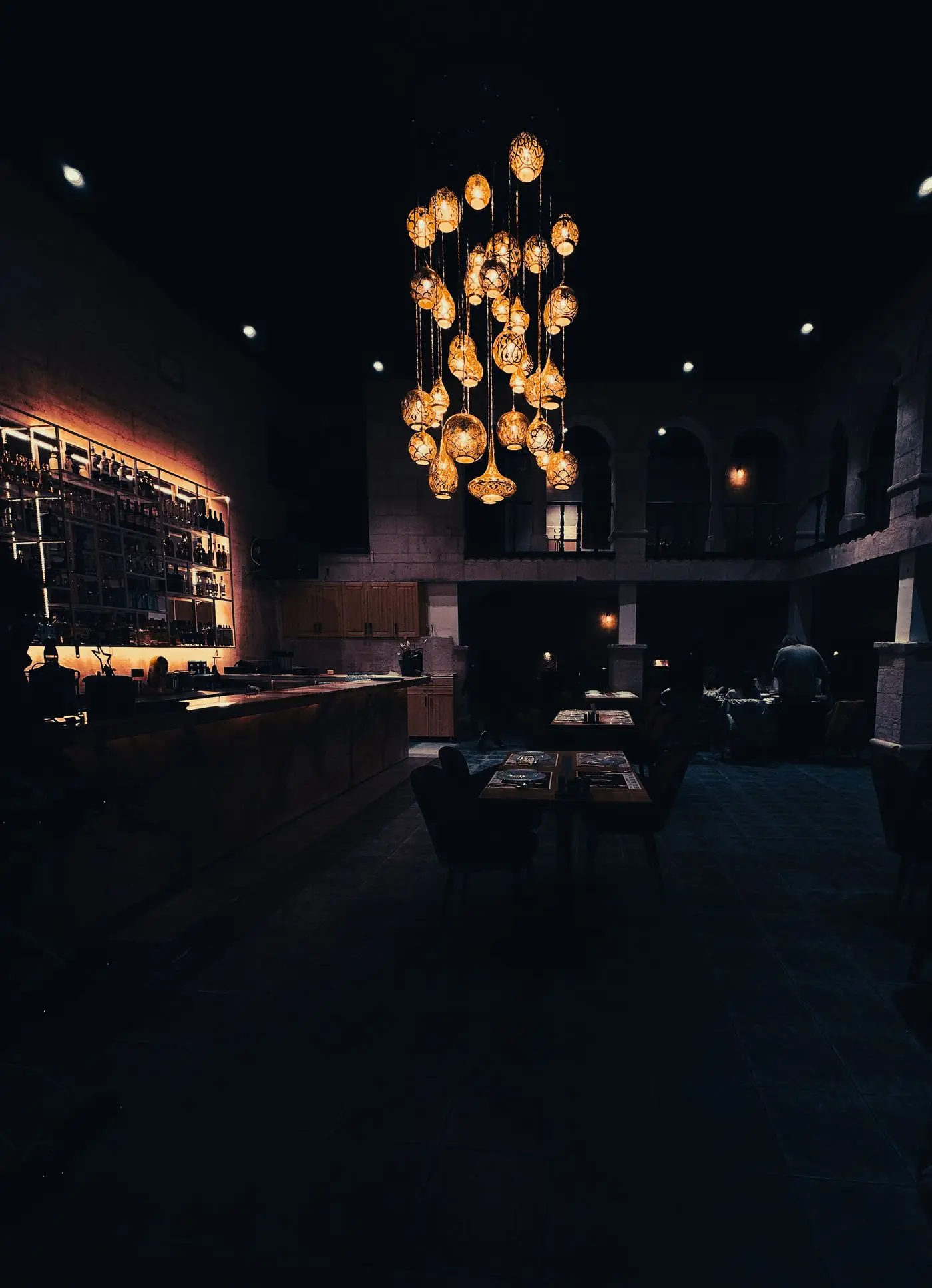
A restaurant dining room at night under warm golden lampsThe POS

Run the restaurant

Everything behind the counter, from the morning delivery to the last bill.

  • Orders, tables & invoices
  • Kitchen display
  • Stock & recipes
  • AI scanning of supplier bills
  • Suppliers & what you owe
  • Staff hours & pay
  • Expenses & monthly profit
  • Daily report on WhatsApp
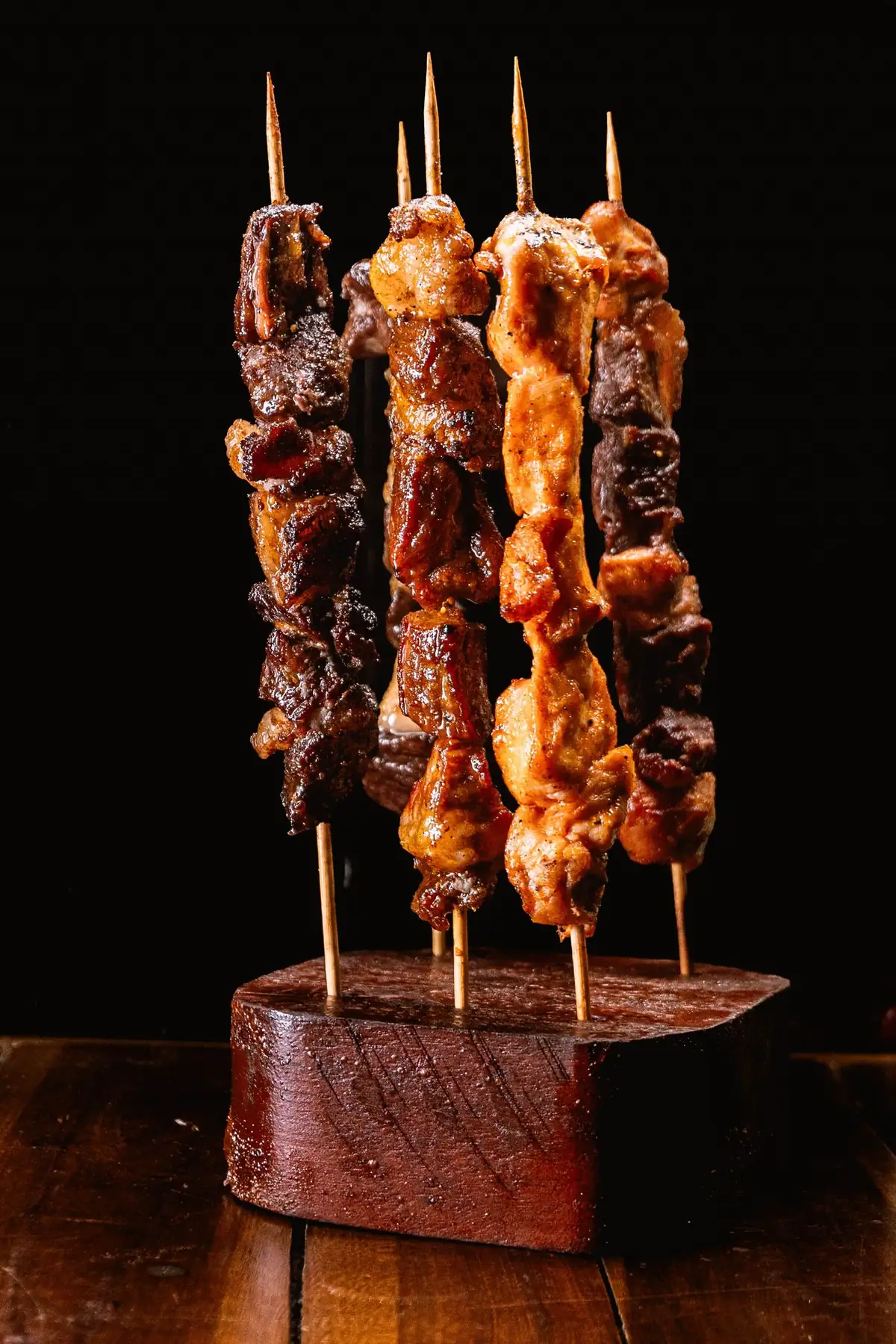
Grilled kebab skewers ready to be ordered through the K-Dawat appThe ordering app

Sell to people at home

Your own listing in the K-Dawat app — customers nearby order, pay and track their food.

  • Found by people nearby
  • Your full menu, sizes & extras
  • Delivery or pickup
  • Cash or bank transfer
  • Live rider tracking
  • Coins that bring them back
  • Orders land in your POS
  • No commission per order
Inside the restaurant POS

This is what your team works on.

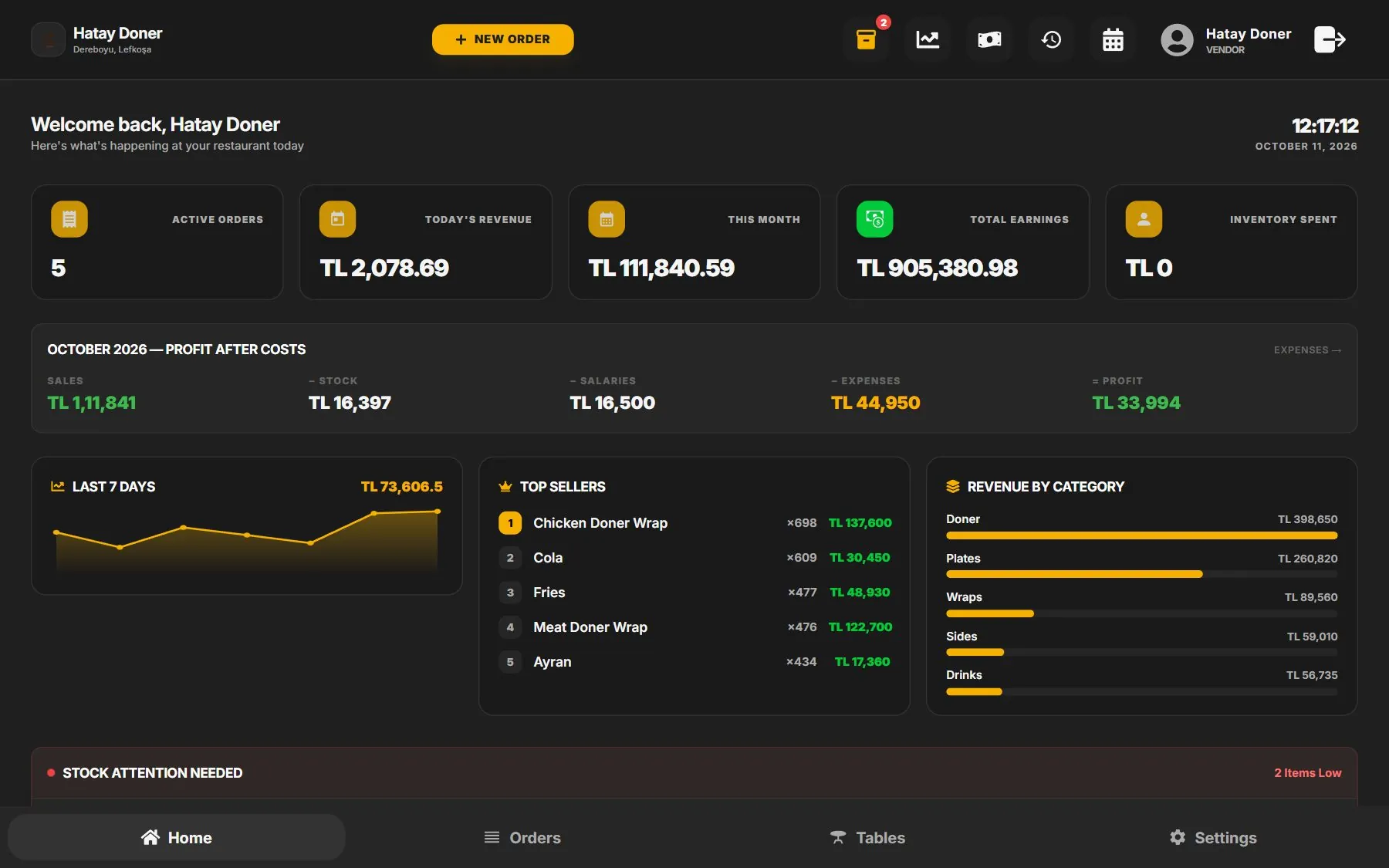
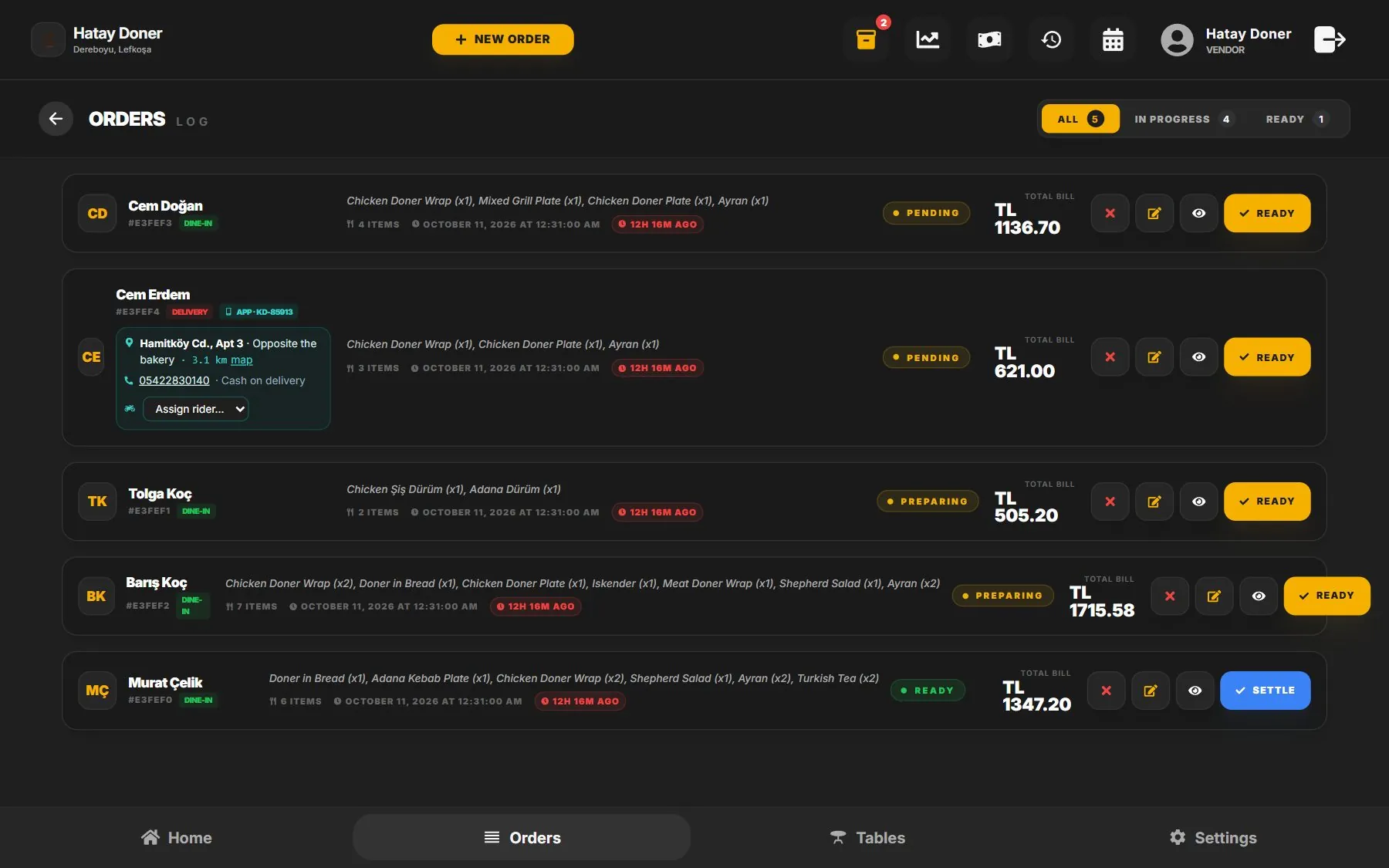
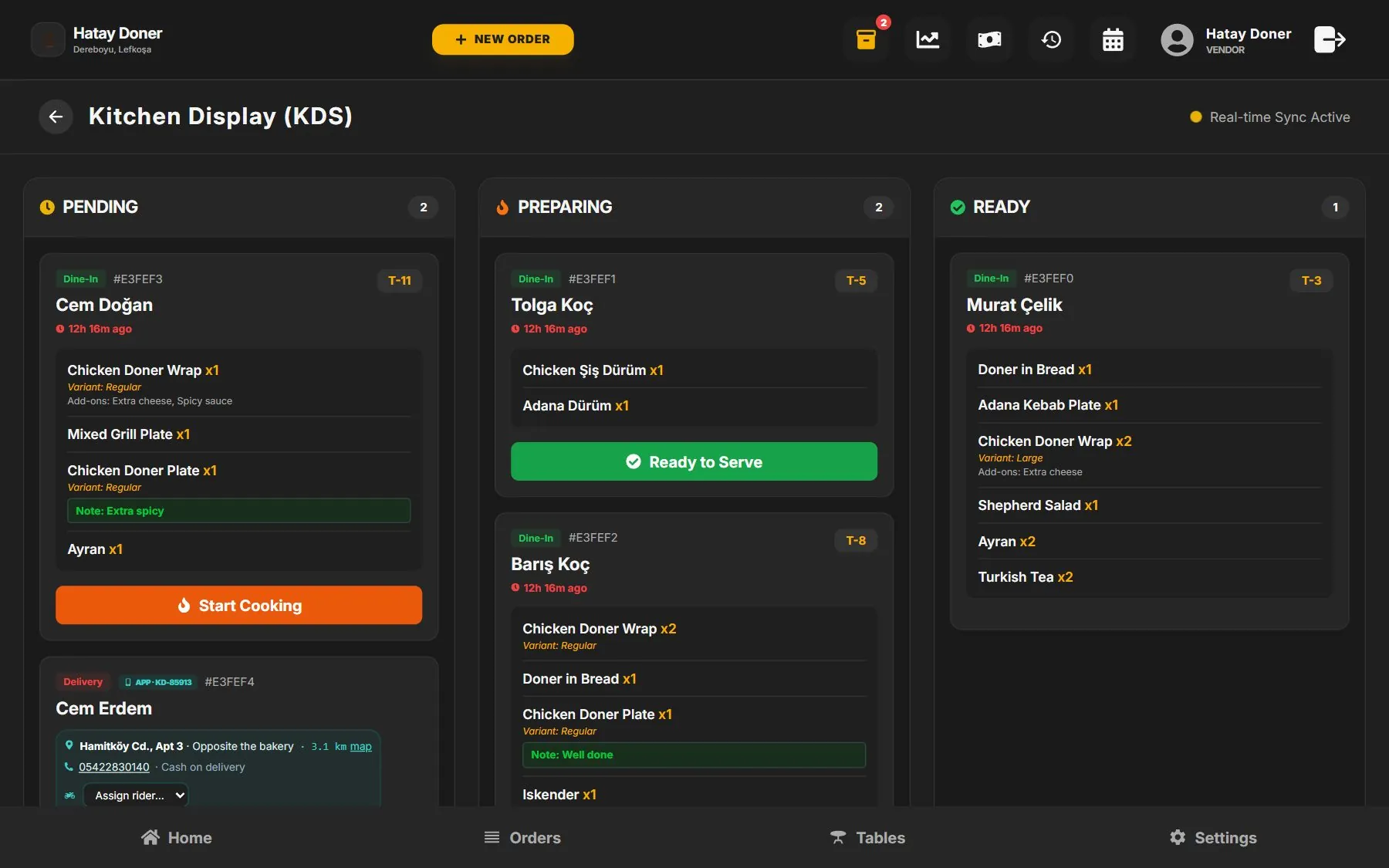
Real screens from K-Dawat. It runs in the browser on any laptop, tablet or touchscreen till — nothing to install.

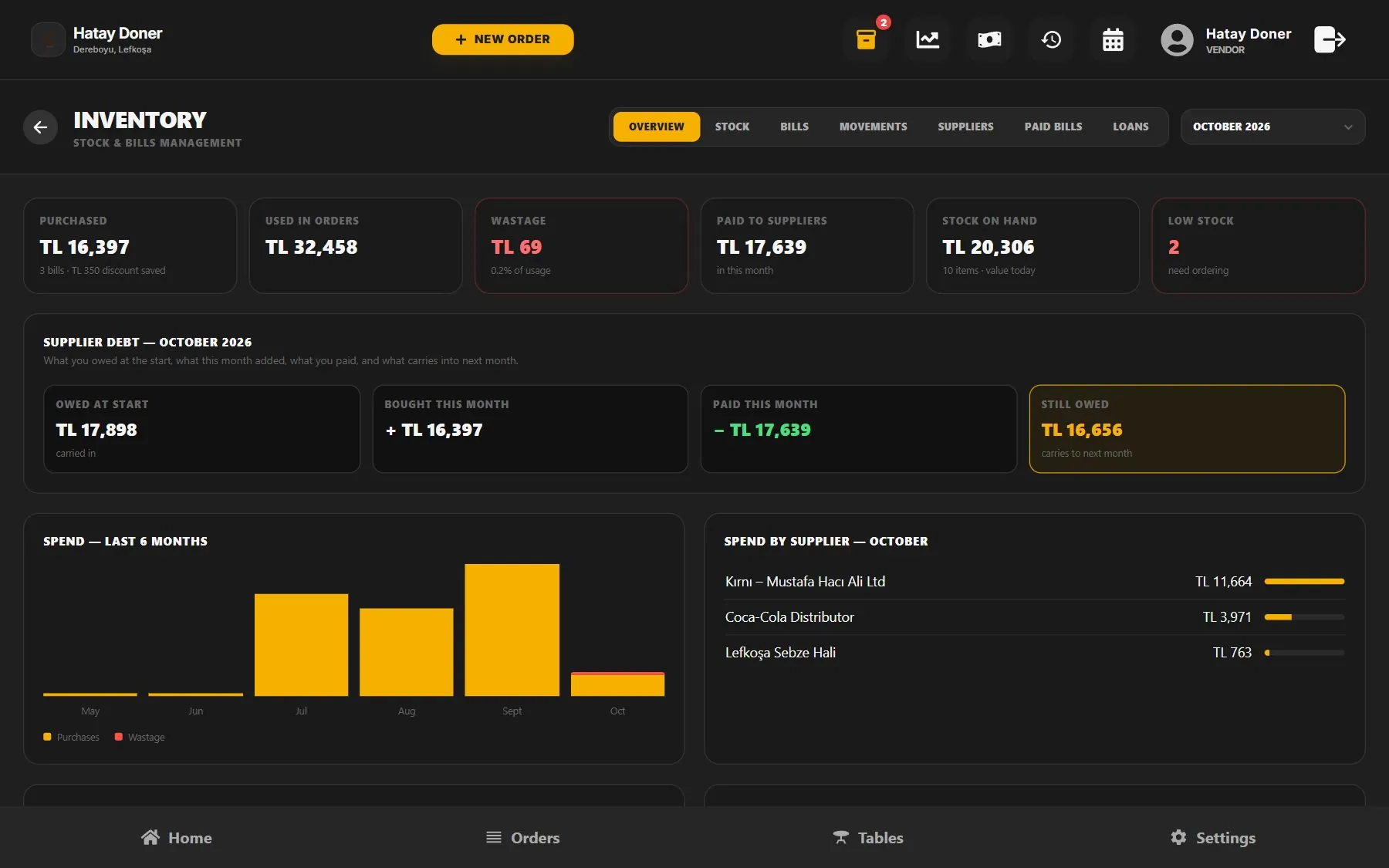
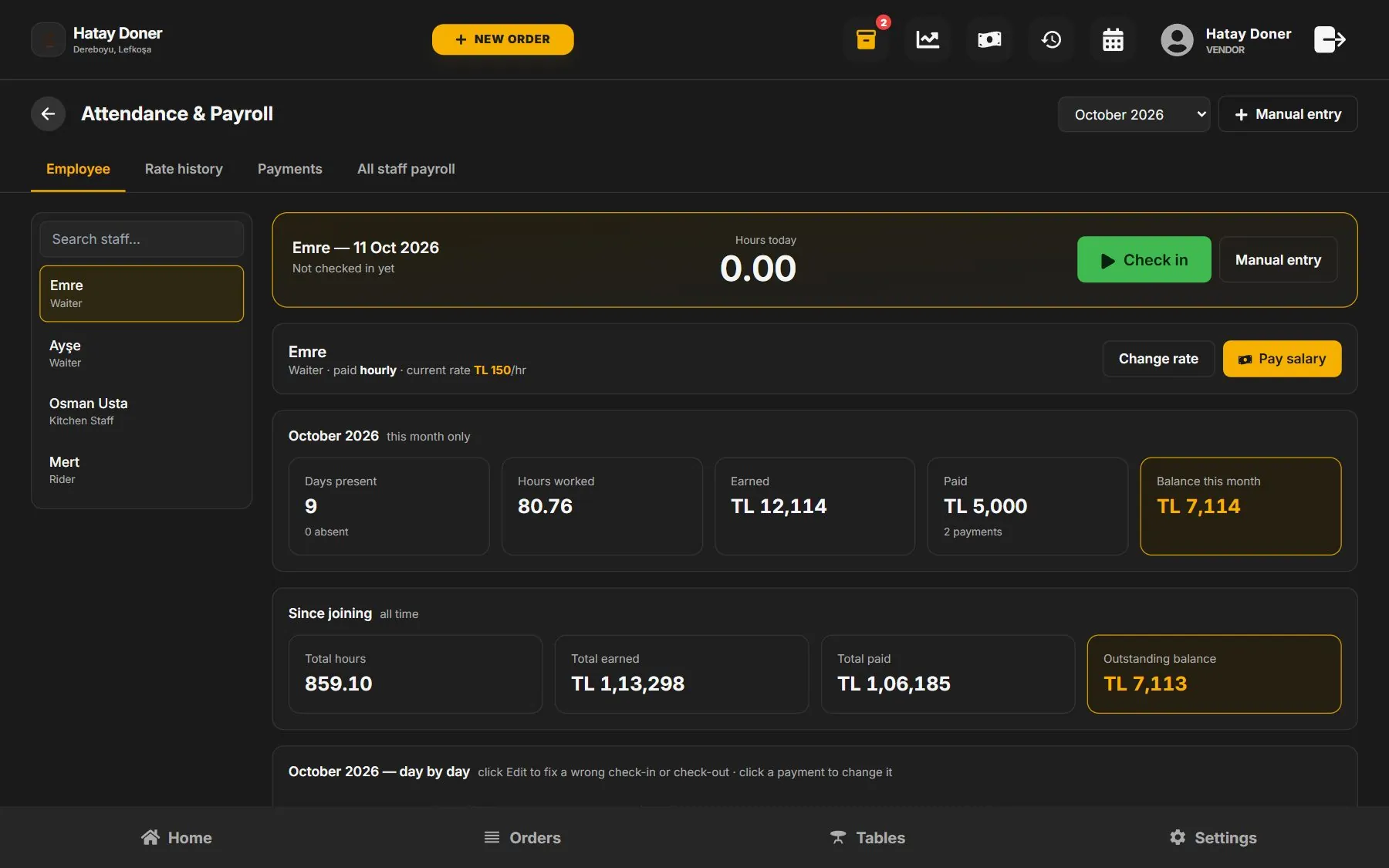
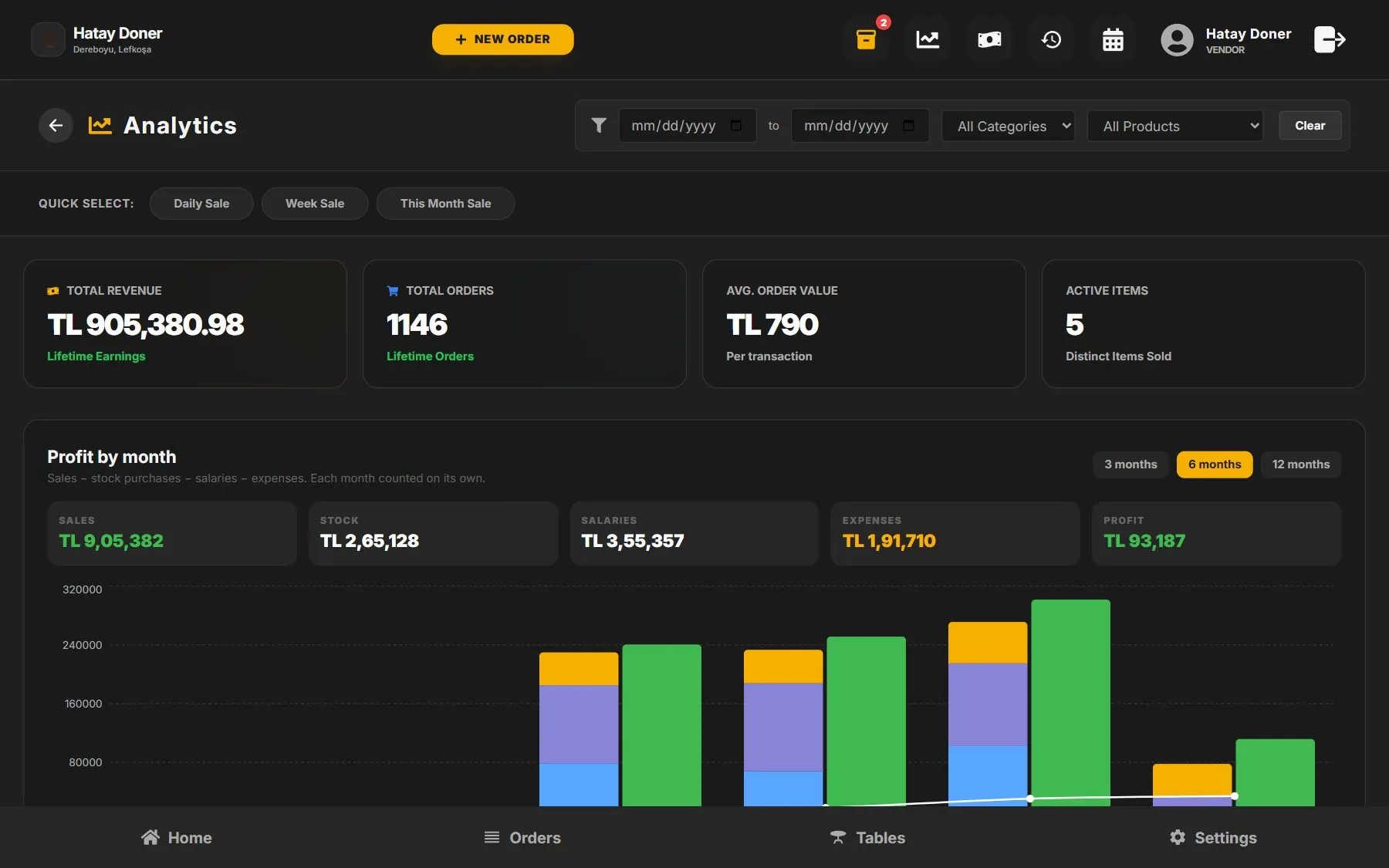
Restaurant POS home screen with today's sales, profit and top sellers POS orders screen listing dine-in, takeaway and app orders Kitchen display system with pending, preparing and ready orders Restaurant inventory screen with purchases, supplier debt and spending chart Staff attendance and payroll screen Restaurant analytics with sales and profit by month

Screens shown with sample data.

The food ordering app

From hungry to delivered, in five taps.

This is what your customers see — on Android now, iPhone next.

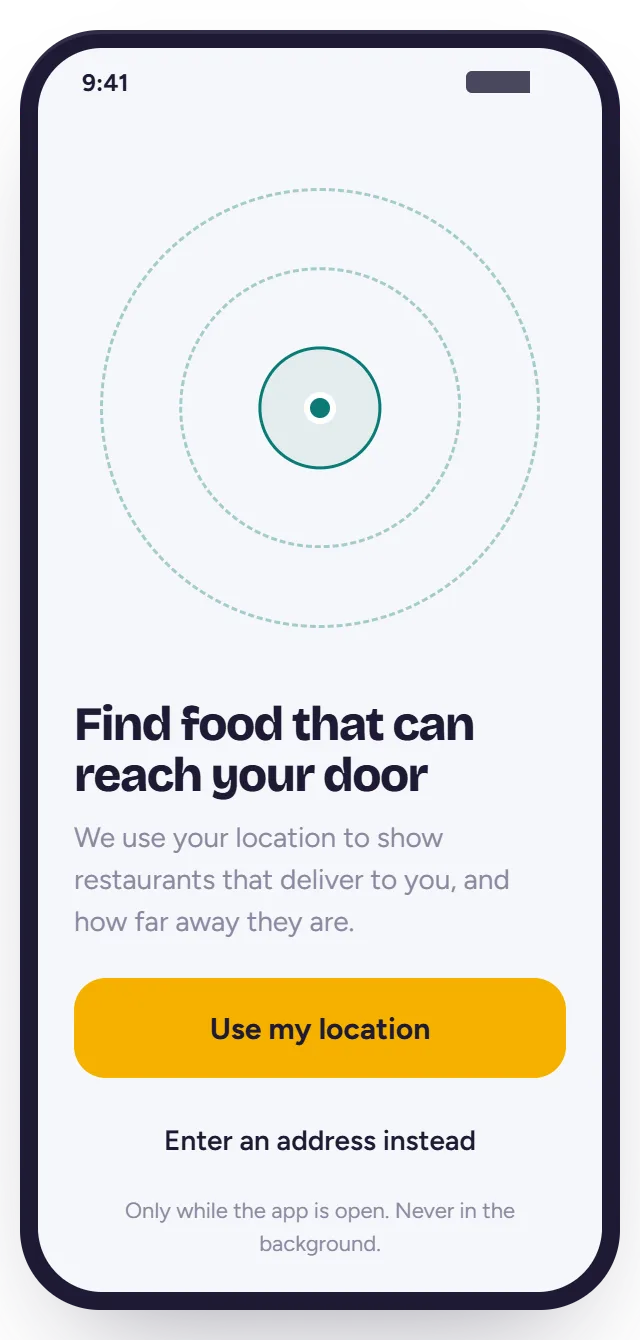
The app finds restaurants that can deliver to the customer's location
1 · FIND

Only places that can reach them

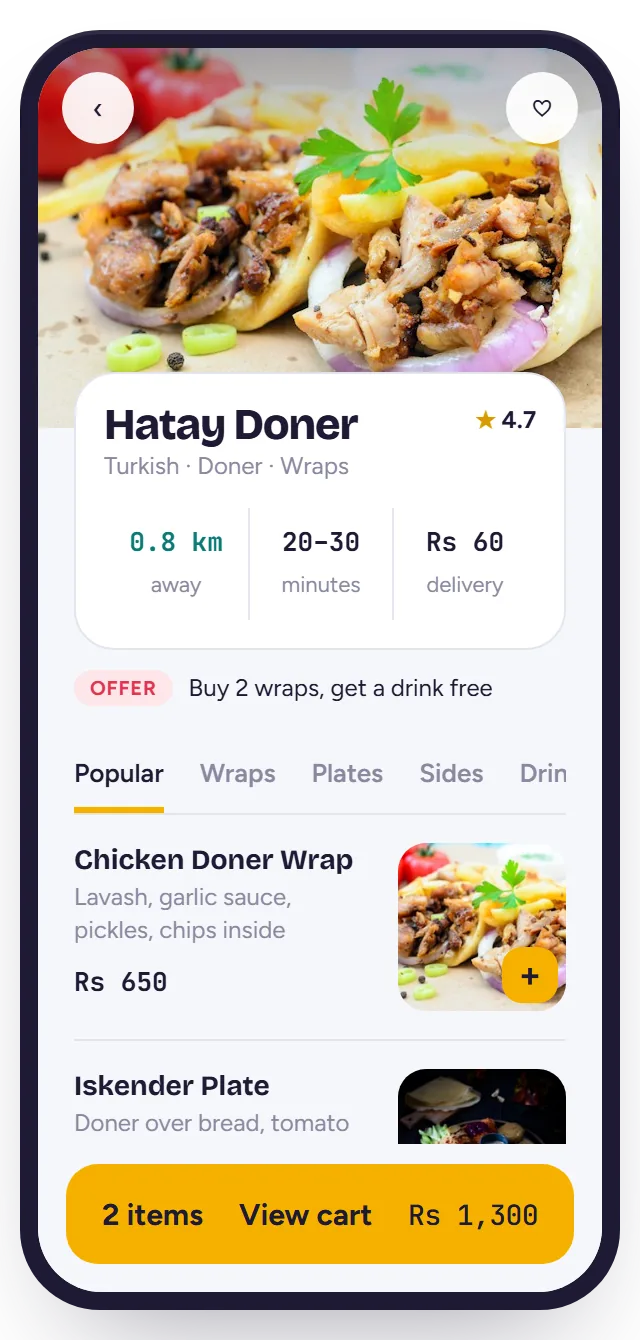
Restaurants sit at their real distance, in rings of 1, 3, 5 and 10 km. They can look around another area on the map too.

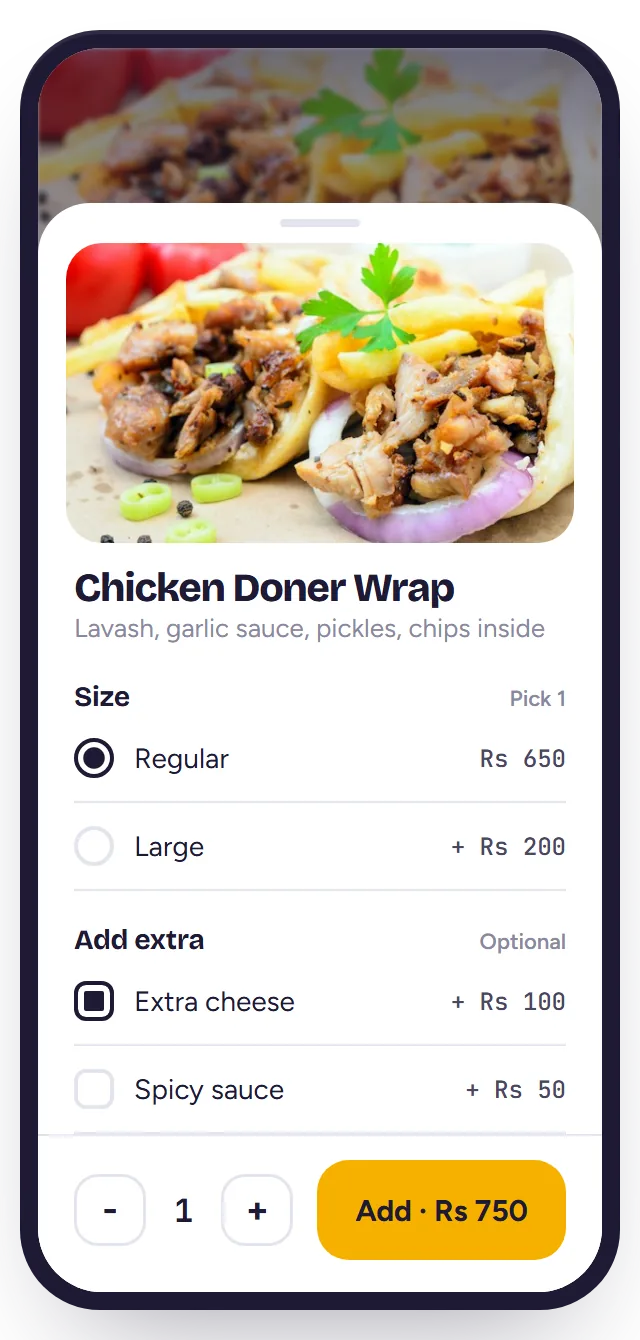
Choosing size and extras for a doner wrap in the ordering app
2 · CHOOSE

Your menu, exactly as on your till

Photos, sizes, extras and a note for the kitchen — straight from the dishes you already set up in the POS.

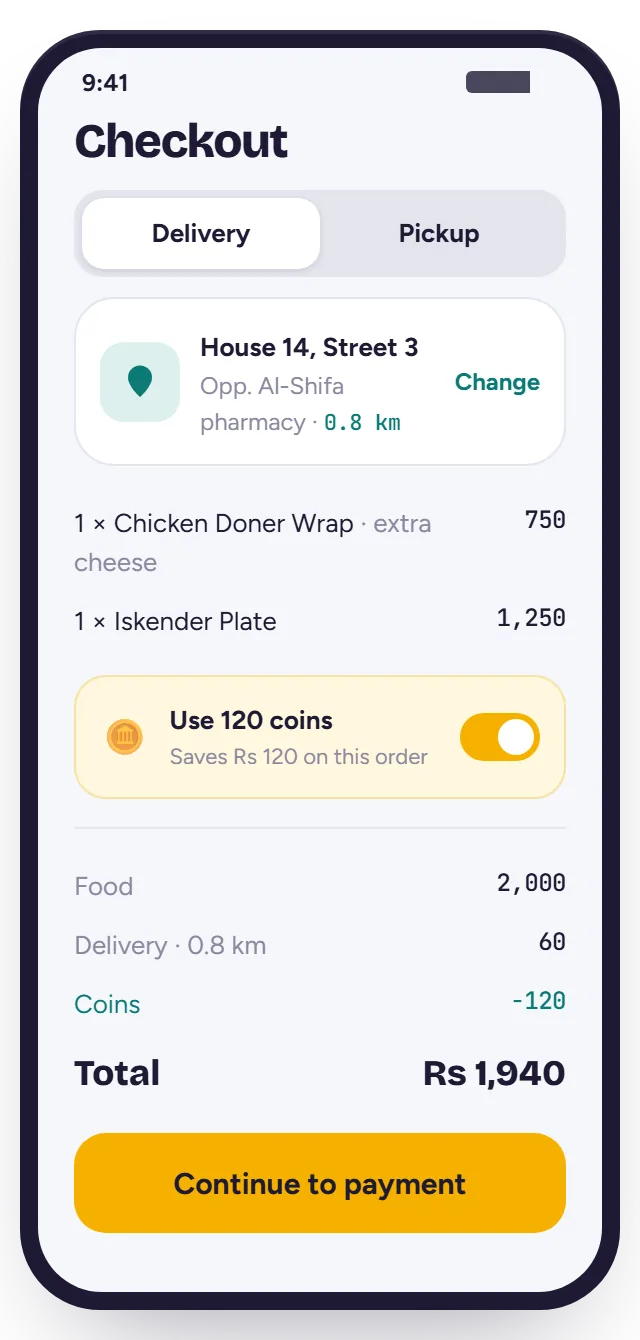
Checkout with delivery address and order total
3 · PAY

Cash or bank transfer — free

Cash on delivery, or a bank transfer with an order code and a receipt photo you confirm in one tap.

0% · NO FEE FROM K-DAWAT
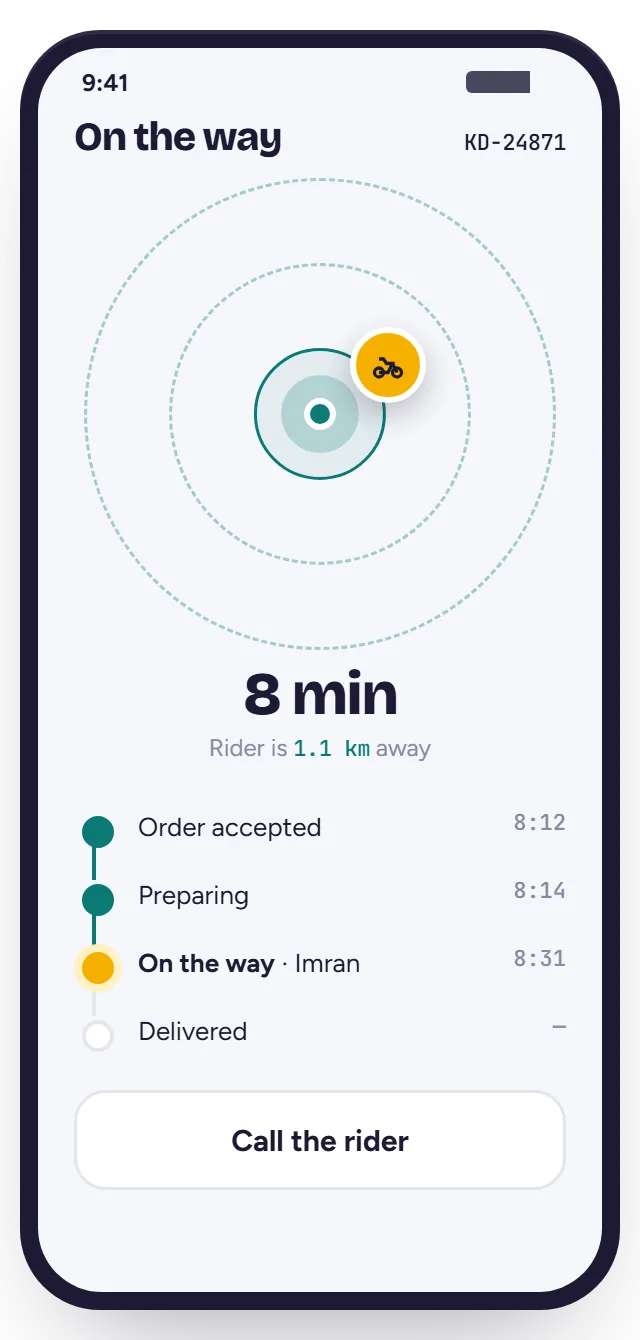
Live rider tracking showing the rider 8 minutes away
4 · TRACK

They watch the rider arrive

From "accepted" to "on the way" to the door — with the rider's live distance and a call button.

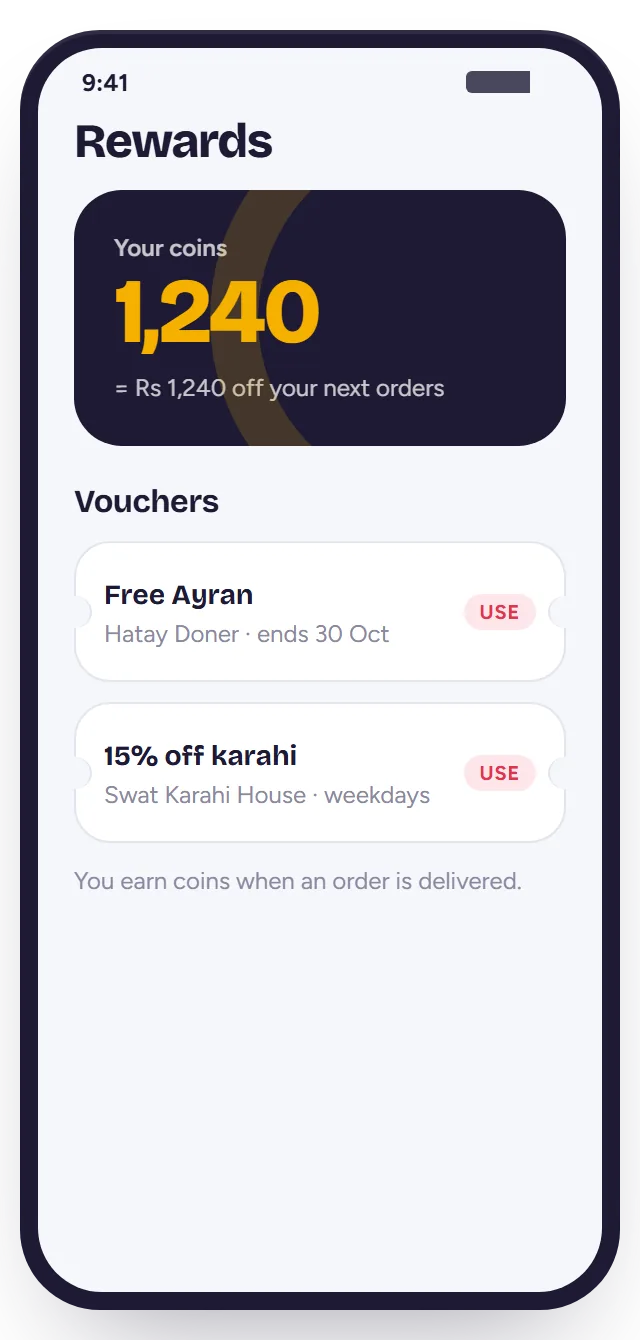
Reward coins and vouchers in the app
5 · COME BACK

Coins for the next order

Every order earns coins — in the app and at your counter — that turn into free dishes and vouchers.

What your restaurant gets

You control your listing from the POS, under Settings → Online ordering.

  • Your pin and your delivery areaSet how far you deliver. Beyond that, customers can still order for pickup.
  • Your own delivery feesA base fee, a price per km, free delivery over an amount, a minimum order.
  • Orders ring in the POSApp orders arrive with a chime next to dine-in and takeaway — and go to the kitchen screen.
  • Confirm transfers in one tapSee the customer's receipt photo and order code, then mark it paid.
  • Open, close, pauseOpening hours, prep time and an "accepting orders" switch for busy nights.

Your riders, in the same app

Riders are your own staff. They sign in with their phone number — no separate app to install.

  • Today's deliveriesAddress, landmark, phone and directions.
  • Picked up · DeliveredOne tap each; the customer sees it instantly.
  • Cash to hand inThe app adds up the cash each rider collected.
How it works

One day at your restaurant, with K-Dawat.

The supplier comes in the morning, orders come all day, riders deliver — and at night the day's sales arrive on your WhatsApp.

Bill scanned
Chicken fillet15.51 kg✓ Chicken thigh12.90 kg✓ Tomatoes20.00 kg✓ Discount− 20%

Snap the bill. Stock is updated.

Take a photo of the supplier's bill. AI reads every line, in almost any language, including weights, prices and the discount. You check it and save.

  • Stock goes up at the price you really paid
  • What you owe each supplier, always current
  • Lines matched to products you already stock

Counter, tables and app — one screen.

Dine-in, takeaway and app orders sit together. Staff see which table is waiting, what's paid and what's next — and app orders arrive with a chime.

  • Tables, bills and printed invoices
  • Customers' coins work at the counter too
  • Every staff member with their own login

The kitchen sees what to cook next.

Orders appear on the kitchen display the moment they're placed. Each dish takes its recipe out of stock, so you know what's left without counting.

  • Preparing → ready, visible to the counter
  • Low stock warnings before you run out

A rider takes it. The customer watches.

Assign a rider from the order. The rider taps "picked up" and "delivered"; the customer follows them live on the app. Cash collected is recorded against the rider.

  • Delivery fee worked out from the distance
  • Pickup orders marked ready for collection

The day's sales, on your WhatsApp.

When you close, K-Dawat sends the owner the day's report on WhatsApp — sales by payment type, expenses, stock bought — even on days you weren't in the shop.

  • Sent at your closing time, in your time zone
  • The same numbers as the POS, nothing to add up

Everyone paid right.

Staff check in and out. Hours, pay rate and every advance are kept day by day — shifts past midnight included.

6 Oct · 10.00 hpaid 1,000
5 Oct · 10.00 h—
4 Oct · 10.00 h—
Still owed12,800

The real profit, by month.

Sales minus stock and every expense — rent and bills go in once and repeat each month.

Restaurant management system

Everything a restaurant runs on.

One login for the whole restaurant — no separate apps for billing, stock, staff and delivery.

Restaurant POS & billing

Dine-in, takeaway and delivery orders, split bills, discounts and printed invoices.

Table management

See which tables are free, booked or waiting for the bill.

Kitchen display (KDS)

Orders go straight to the kitchen screen: pending, preparing, ready.

Inventory & recipes

Every dish takes its ingredients out of stock. Low stock warnings before you run out.

AI supplier-bill scanning

Photograph a bill in almost any language — lines, weights, prices and discounts filled in.

Suppliers & ledger

What you bought, what you paid and what you still owe each supplier.

Staff attendance & payroll

Check-in and out, hourly or daily rates, advances and what each person is owed.

Expenses & profit

Rent, bills and salaries against sales — the real profit for every month.

Online ordering app

Your listing in the K-Dawat app with delivery radius, fees and opening hours.

Delivery riders

Assign orders, track riders live, count the cash they collect.

Loyalty coins & vouchers

Customers earn coins at the counter and in the app, and spend them on free dishes.

Daily WhatsApp report

The day's sales, payments and costs sent to the owner at closing time.

Payments

Keep what you earn.

Food apps usually keep a large share of every order. K-Dawat takes no cut — not on the till, not in the app.

A typical delivery marketplaceup to 30%of every order
K-Dawat0%of every order, always
0% fee

Cash on delivery

The rider collects; the app tracks who has cash to hand in.

0% fee

Bank transfer

The customer pays with an order code and uploads the receipt. You confirm it.

Cards

Through your own bank

When you add card payments, the card company or your bank charges its own small fee (usually 1.5–3%). K-Dawat adds nothing on top.

Who charges what? K-Dawat never takes a percentage of your sales. The only percentage you may ever see is on card or wallet payments — and that goes to the payment company (Visa, Mastercard, your bank, JazzCash…), not to us. Cash and bank transfer have no fee.

Questions

Restaurant POS questions, answered.

What is a restaurant management system?

A restaurant management system runs the whole restaurant from one place: the POS for orders and bills, tables, the kitchen screen, stock and suppliers, staff hours and pay, expenses and profit. K-Dawat adds your own online ordering app on top, so app orders land in the same POS.

Does K-Dawat work in my country?

Yes. K-Dawat works for restaurants in any country: you set your own currency and time zone, the AI reads supplier bills in most languages, and support is on WhatsApp. It runs in the browser on any laptop, tablet or touchscreen till.

Is K-Dawat used by a real restaurant?

Yes. K-Dawat runs the counter, kitchen and stock of Hatay Doner in Lefkoşa, North Cyprus, every day. It was built inside a working restaurant, so every screen comes from a real daily need.

Does K-Dawat take commission on online orders?

No. K-Dawat takes no percentage of your orders, in the restaurant or in the app. Cash and bank transfer have no fee. If you add card or wallet payments, the only fee is the one the card company or your bank charges.

What hardware do I need for the POS?

Any device with a modern web browser: a laptop, a tablet or a touchscreen till. Invoices print from the browser. There is nothing to install.

Can I try K-Dawat before I decide?

Yes. Book a free demo and we show it running with your own menu — on a video call wherever you are.

Get started

See it running in your own kitchen.

Free demo — on a video call wherever you are.

  1. Show us your restaurantMenu, tables, staff, how you buy stock.
  2. We set it up with youMenu and photos, staff and pay, suppliers, printer.
  3. Go live — app includedTake orders on the till; switch on the app when ready.

Request a free demo

We reply on WhatsApp, usually the same day.